> For the complete documentation index, see [llms.txt](https://docs.scepman.com/llms.txt). Markdown versions of documentation pages are available by appending `.md` to page URLs; this page is available as [Markdown](https://docs.scepman.com/other/faqs/key-vault-rbac-migration.md).
# Key Vault RBAC Migration
Microsoft is shifting Azure Key Vault toward Azure RBAC as the default access control model for all new Key Vaults starting with API version **2026‑02‑01**. Read more [here](https://learn.microsoft.com/en-us/azure/key-vault/general/access-control-default?tabs=azure-cli).
While RBAC isn’t strictly mandatory and **existing Key Vaults using access policies can continue operating as is,** tenants that create a new Key Vault after upgrading to the new API will get RBAC by default unless access policies are explicitly configured.
It may be a good idea to migrate to RBAC regardless, as it provides a more unified and scalable permission model aligned with Microsoft Entra ID and future-proofs your setup in the event Microsoft deprecates Key Vault access policies.
## Migration Guide
{% hint style="warning" %}
Account for downtime before proceeding. SCEPman will be unable to issue or verify certificates until permissions have migrated successfully.
{% endhint %}
{% stepper %}
{% step %}
### Navigate to your SCEPman Key Vault
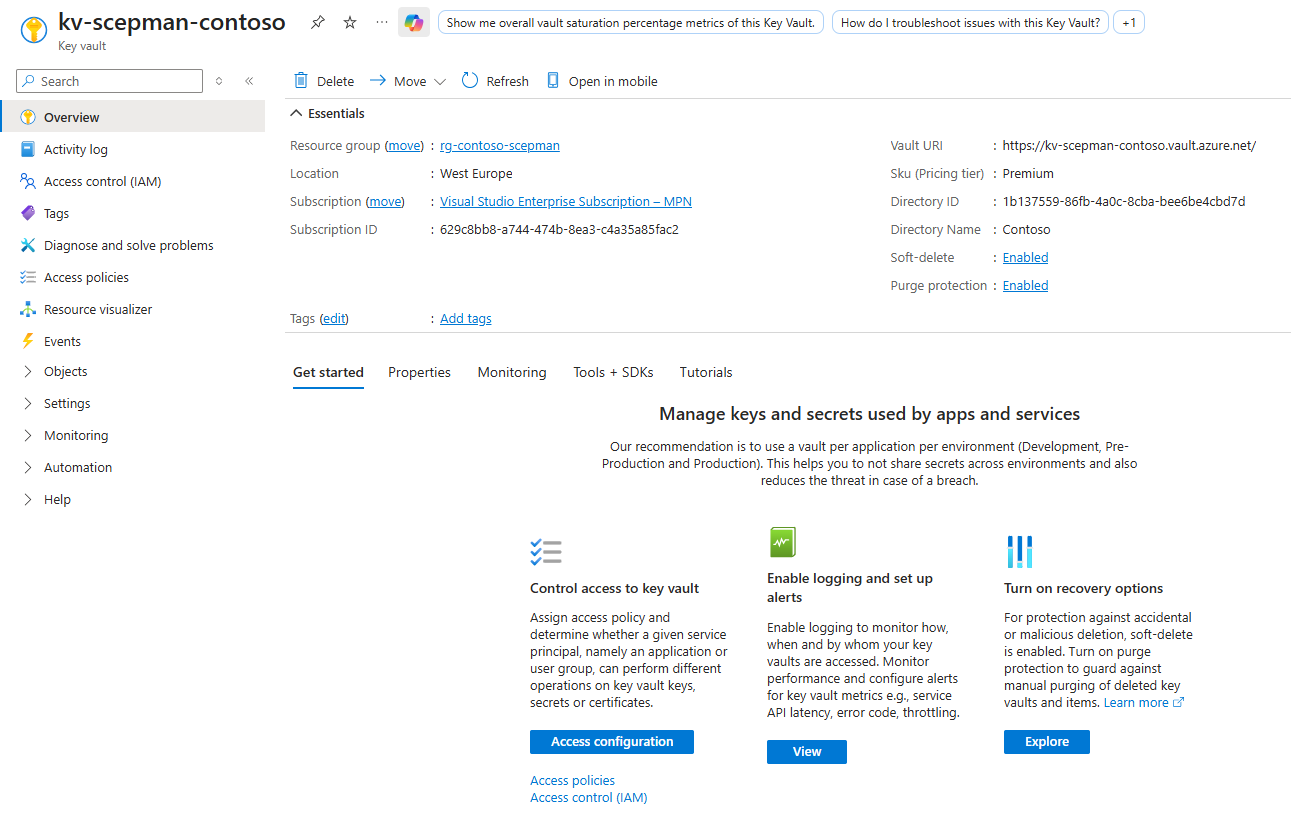
Navigate to Azure > Key Vaults > *Your SCEPman Key Vault*
{% endstep %}
{% step %}
### Review your existing Access Policies
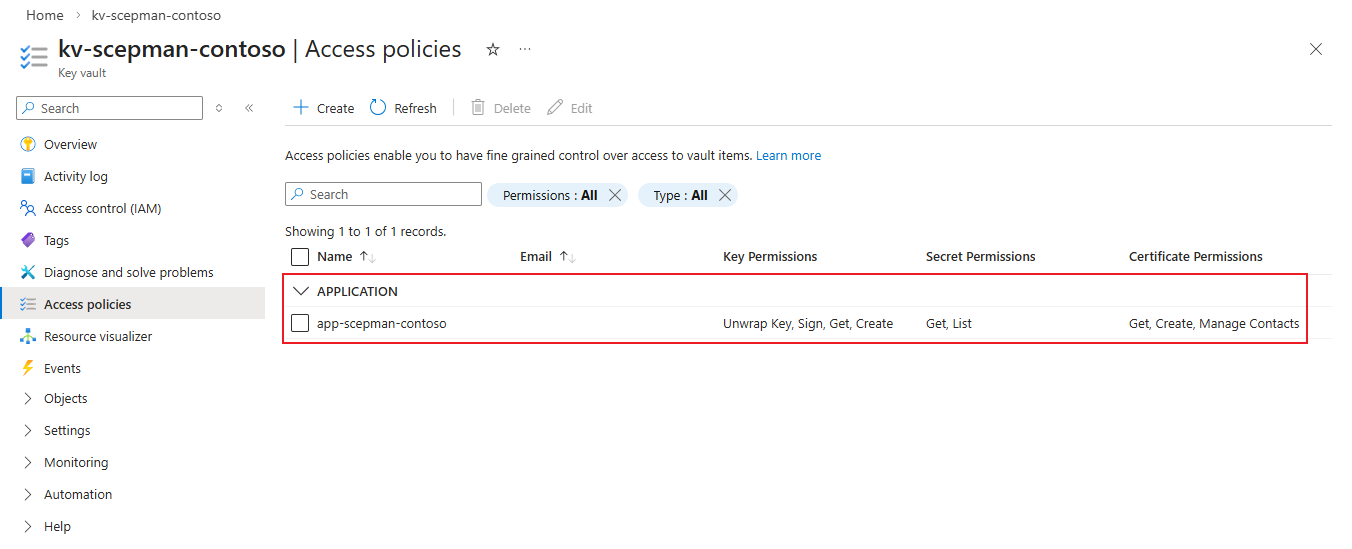
Navigate to **Access policies** and document your SCEPman's access policies under **Application***.* The SCEPman access policies should share the same name as your SCEPman App Service (and any geo-redundant SCEPman App Services).
*User* access policies do not need to be migrated as they won't affect SCEPman functionality. Users that require continued access should have their access policies reviewed and migrated to Azure roles based on the following table:
{% endstep %}
{% step %}
### Change the Permission Model
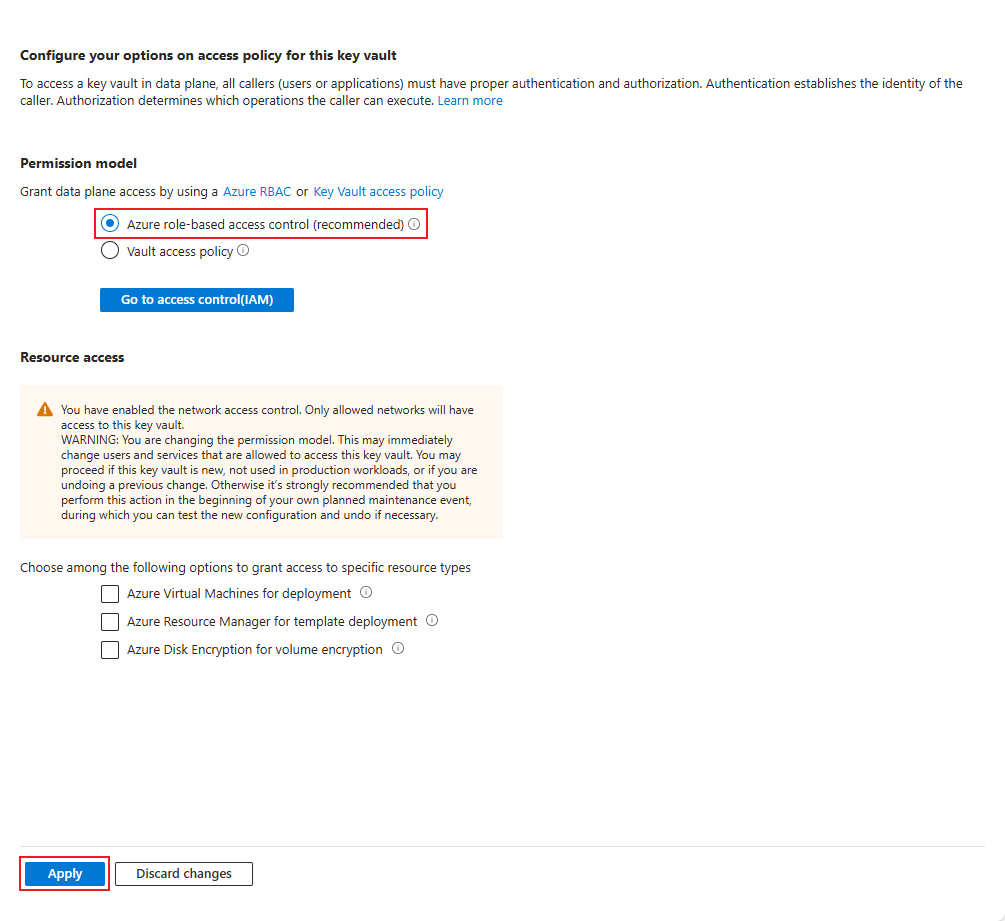
Change the Permission Model from **Vault access policy** to **Azure role-based access control**
Pressing **Apply** will disconnect your SCEPman instance from the Key Vault until Azure Roles are assigned. Previous access policies will also be removed.
{% endstep %}
{% step %}
### Assign Azure Roles
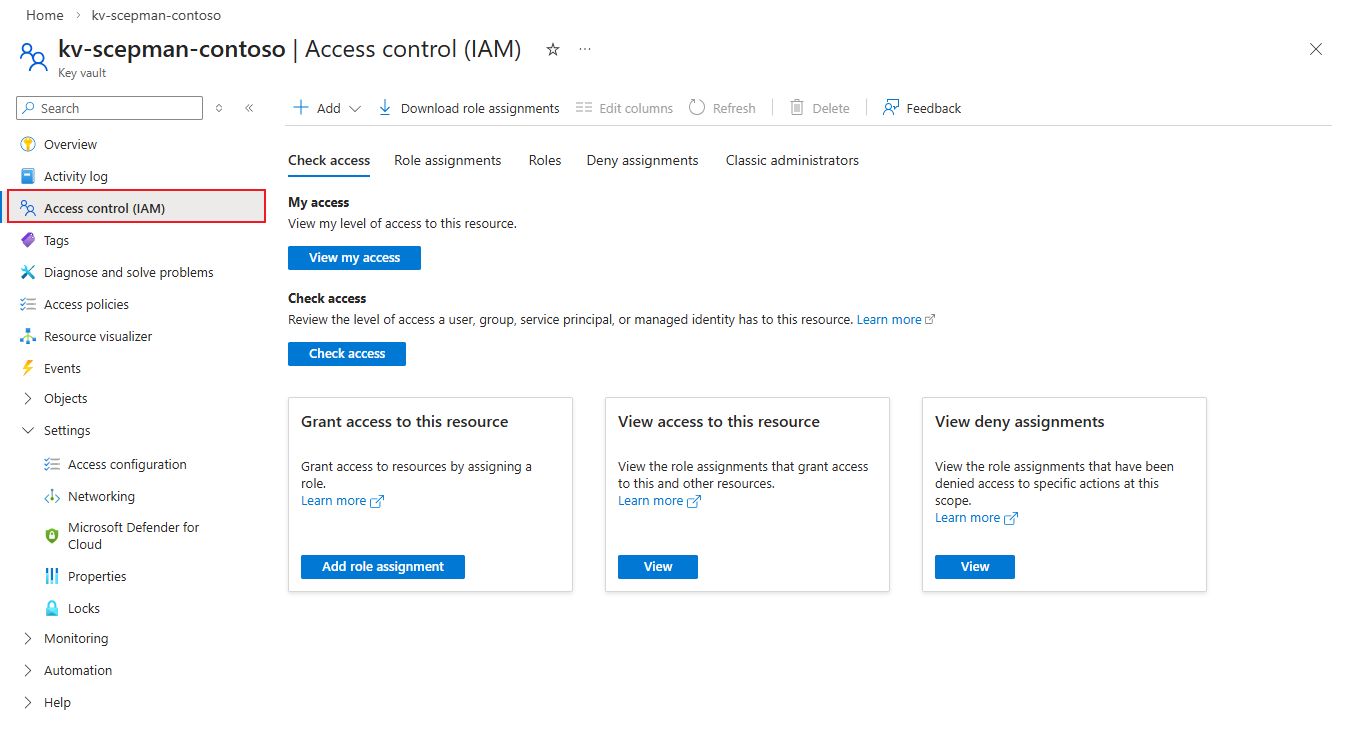
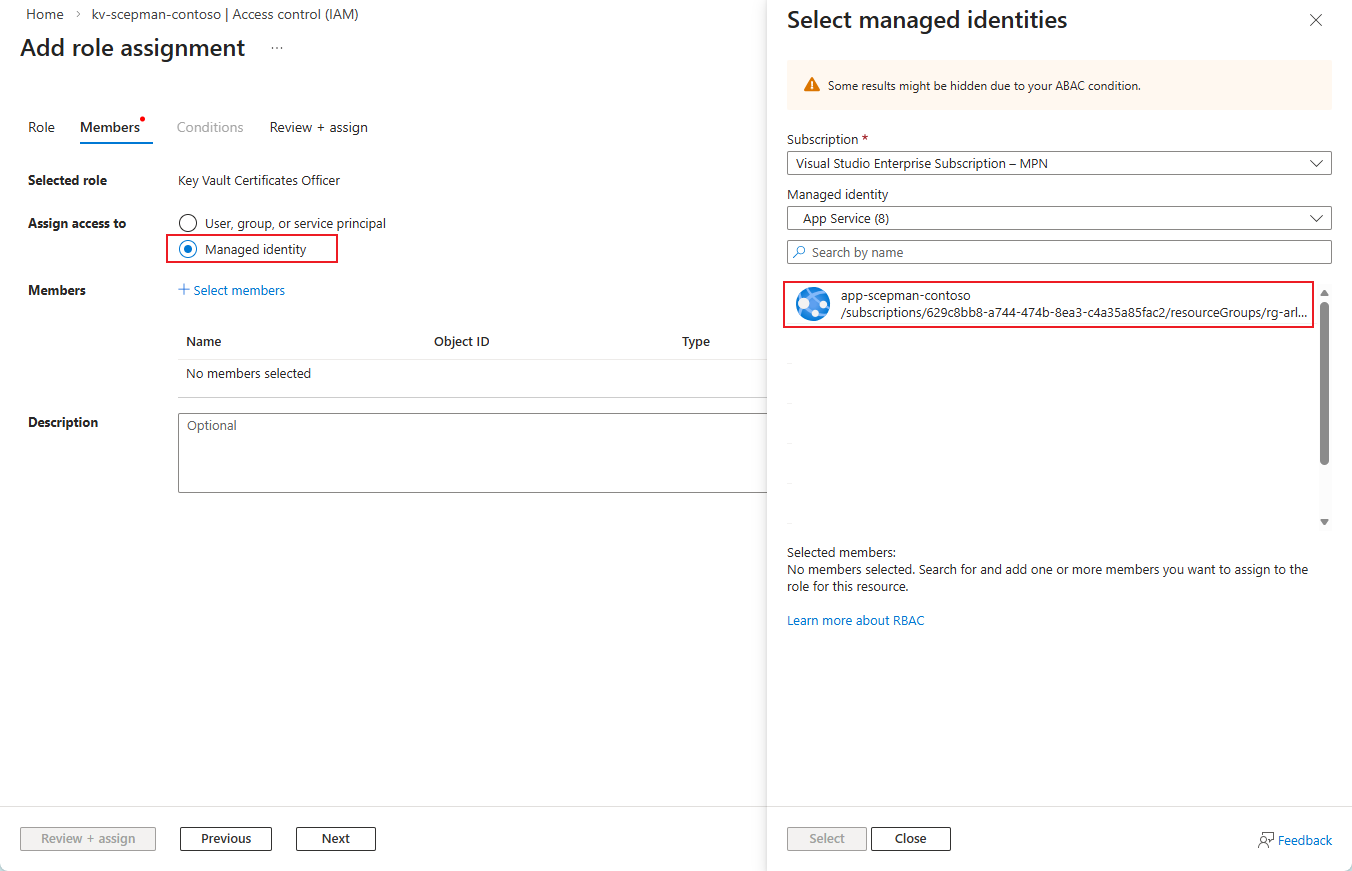
Navigate to Access control (IAM) and assign the following roles to the **managed identity** of your SCEPman App Service (and any geo-redundant SCEPman App Services):
* Key Vault Certificates Officer
* Key Vault Crypto Officer
* Key Vault Secrets User
Roles must be assigned one at a time, however multiple identities can be assigned to one role.
The Certificate Master's managed identity (with -cm in its name) **does not** require access to the Key Vault.
{% endstep %}
{% step %}
### Check Key Vault Connectivity
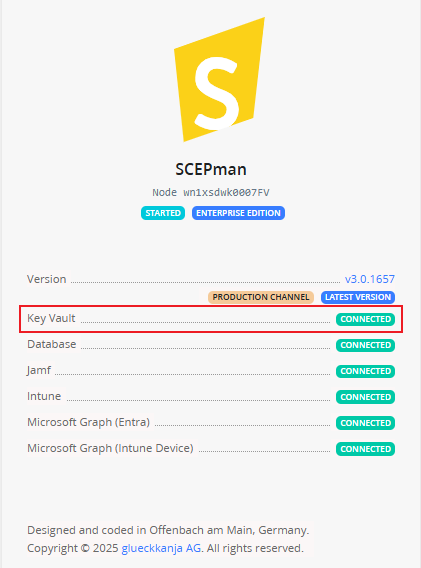
Restart your SCEPman App Service, then navigate to your SCEPman homepage and ensure your Key Vault is connected.
{% endstep %}
{% endstepper %}
---
# Agent Instructions
This documentation is published with GitBook. GitBook is the documentation platform designed so that both humans and AI agents can read, navigate, and reason over technical content effectively. Learn more at gitbook.com.
## Querying This Documentation
If you need additional information that is not directly available in this page, you can query the documentation dynamically by asking a question.
Perform an HTTP GET request on the current page URL with the `ask` query parameter, and the optional `goal` query parameter:
```
GET https://docs.scepman.com/other/faqs/key-vault-rbac-migration.md?ask=&goal=
```
`ask` is the immediate question: it should be specific, self-contained, and written in natural language.
`goal` is optional and describes the broader end goal you are ultimately trying to accomplish on behalf of the user. GitBook uses it to tailor the answer towards what is most useful for that goal.
The response will contain a direct answer to the question and relevant excerpts and sources from the documentation.
Use this mechanism when the answer is not explicitly present in the current page, you need clarification or additional context, or you want to retrieve related documentation sections.