> For the complete documentation index, see [llms.txt](https://docs.scepman.com/llms.txt). Markdown versions of documentation pages are available by appending `.md` to page URLs; this page is available as [Markdown](https://docs.scepman.com/de/andere/faqs/key-vault-rbac-migration.md).
# Key Vault RBAC-Migration
Microsoft stellt Azure Key Vault auf Azure RBAC als Standard-Zugriffsmodell für alle neuen Key Vaults ab API-Version um **2026‑02‑01**. Mehr erfahren [hier](https://learn.microsoft.com/en-us/azure/key-vault/general/access-control-default?tabs=azure-cli).
Obwohl RBAC nicht zwingend erforderlich ist und **bestehende Key Vaults, die Zugriffsrichtlinien verwenden, können unverändert weiter betrieben werden,** Mandanten, die nach dem Upgrade auf die neue API einen neuen Key Vault erstellen, erhalten standardmäßig RBAC, sofern nicht ausdrücklich Zugriffsrichtlinien konfiguriert werden.
Unabhängig davon kann es sinnvoll sein, zu RBAC zu migrieren, da es ein einheitlicheres und skalierbareres Berechtigungsmodell bietet, das mit Microsoft Entra ID abgestimmt ist und Ihre Konfiguration zukunftssicher macht, falls Microsoft Key Vault-Zugriffsrichtlinien abkündigt.
## Migrationsleitfaden
{% hint style="warning" %}
Planen Sie Ausfallzeiten ein, bevor Sie fortfahren. SCEPman kann keine Zertifikate ausstellen oder überprüfen, bis die Berechtigungen erfolgreich migriert wurden.
{% endhint %}
{% stepper %}
{% step %}
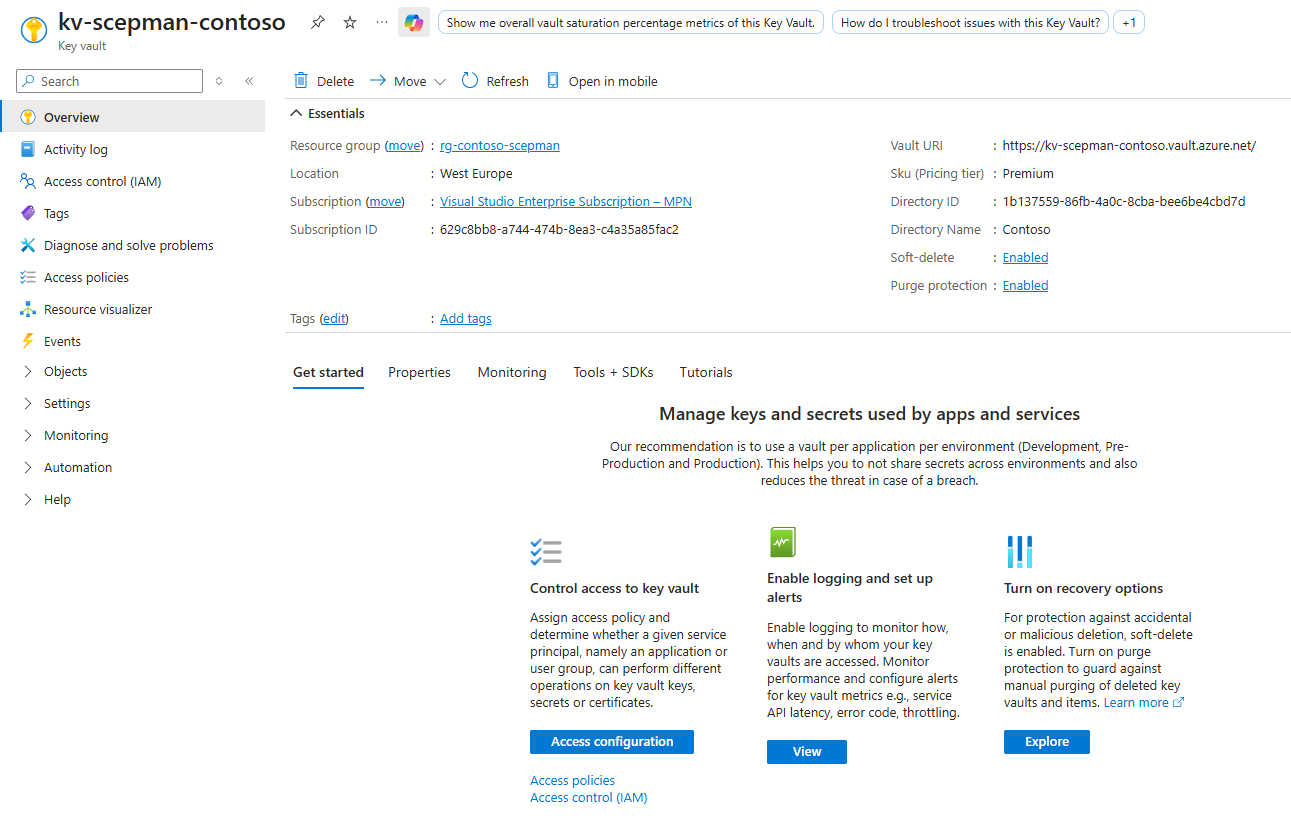
### Navigieren Sie zu Ihrem SCEPman Key Vault
Navigieren Sie zu Azure > Key Vaults > *Ihr SCEPman Key Vault*
{% endstep %}
{% step %}
### Überprüfen Sie Ihre vorhandenen Zugriffsrichtlinien
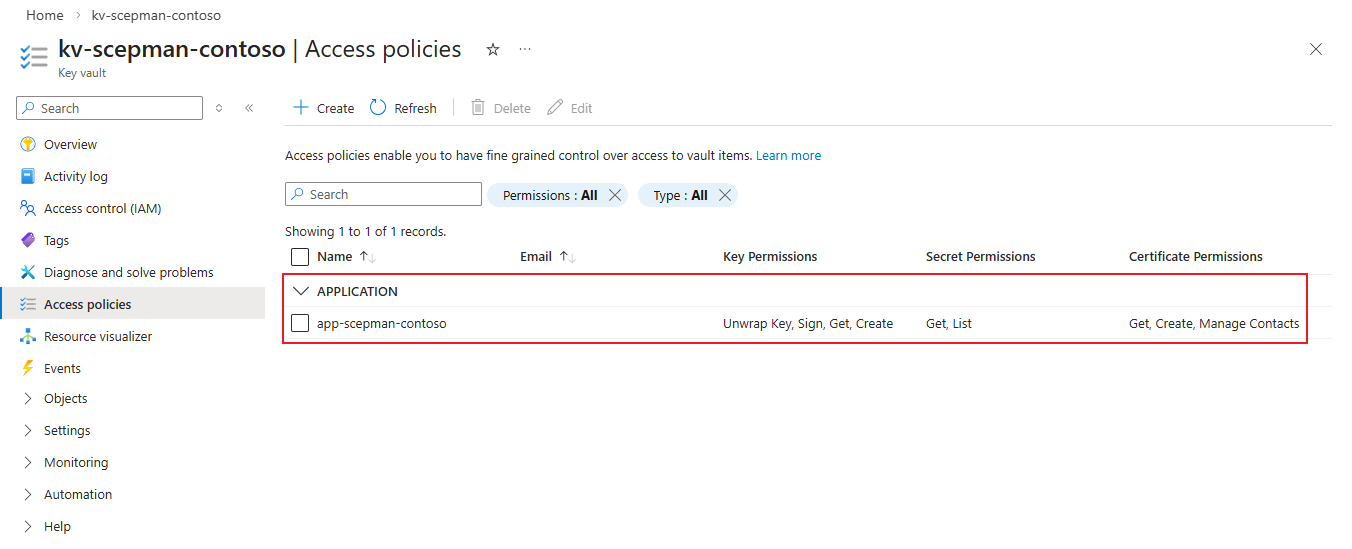
Navigieren Sie zu **Zugriffsrichtlinien** und dokumentieren Sie die Zugriffsrichtlinien Ihres SCEPman unter **Anwendung***.* Die SCEPman-Zugriffsrichtlinien sollten denselben Namen haben wie Ihr SCEPman App Service (und alle geografisch redundanten SCEPman App Services).
*Benutzer* Zugriffsrichtlinien müssen nicht migriert werden, da sie die Funktionalität von SCEPman nicht beeinträchtigen. Für Benutzer, die weiterhin Zugriff benötigen, sollten ihre Zugriffsrichtlinien anhand der folgenden Tabelle überprüft und zu Azure-Rollen migriert werden:
{% endstep %}
{% step %}
### Ändern Sie das Berechtigungsmodell
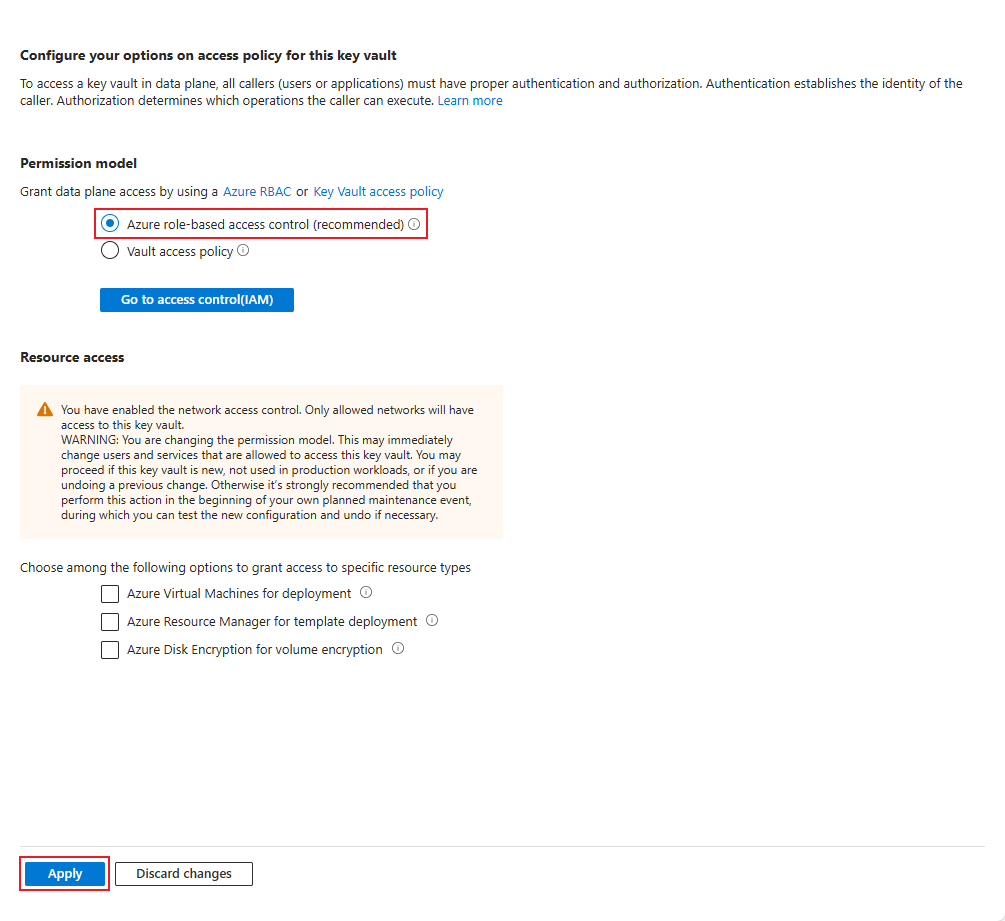
Ändern Sie das Berechtigungsmodell von **Vault-Zugriffsrichtlinie** zu **Azure Role-Based Access Control**
Durch Drücken von **Anwenden** wird Ihre SCEPman-Instanz vom Key Vault trennen, bis Azure-Rollen zugewiesen sind. Frühere Zugriffsrichtlinien werden ebenfalls entfernt.
{% endstep %}
{% step %}
### Weisen Sie Azure-Rollen zu
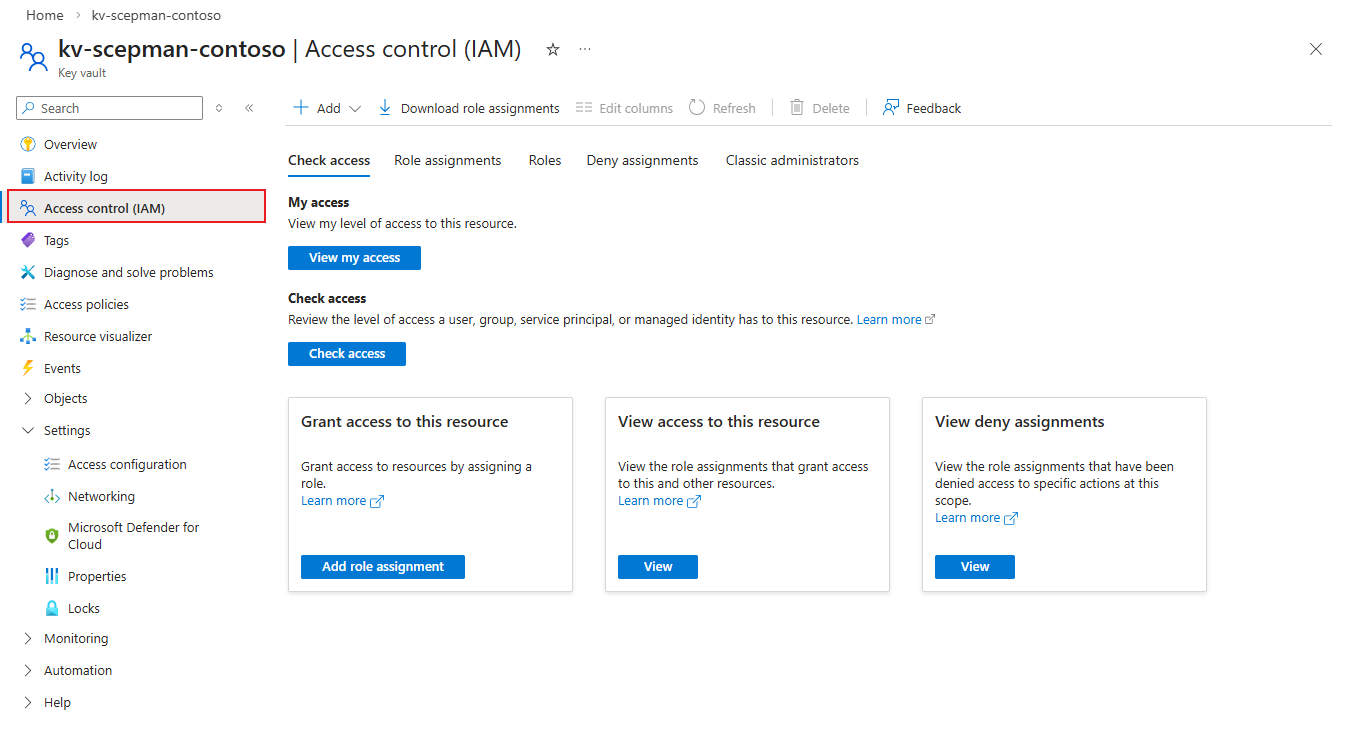
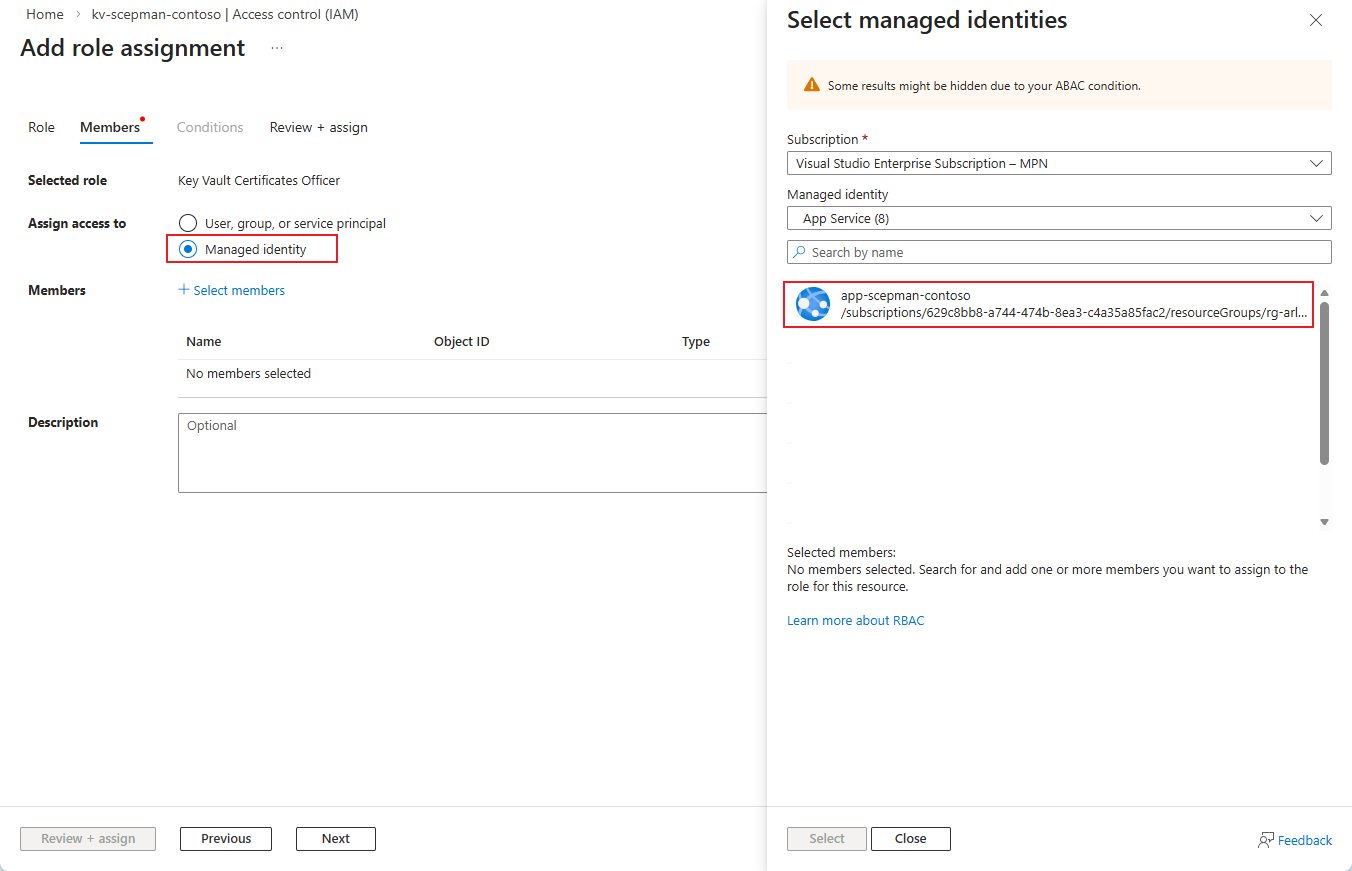
Navigieren Sie zu Zugriffskontrolle (IAM) und weisen Sie die folgenden Rollen der **verwalteten Identität** Ihres SCEPman App Service (und aller geografisch redundanten SCEPman App Services):
* Key Vault Certificates Officer
* Key Vault Crypto Officer
* Key Vault Secrets User
Rollen müssen nacheinander zugewiesen werden, jedoch können mehreren Identitäten einer Rolle zugewiesen werden.
Die verwaltete Identität des Certificate Master (mit -cm im Namen) **unterstützt nicht** benötigen Zugriff auf den Key Vault.
{% endstep %}
{% step %}
### Überprüfen Sie die Key Vault-Verbindung
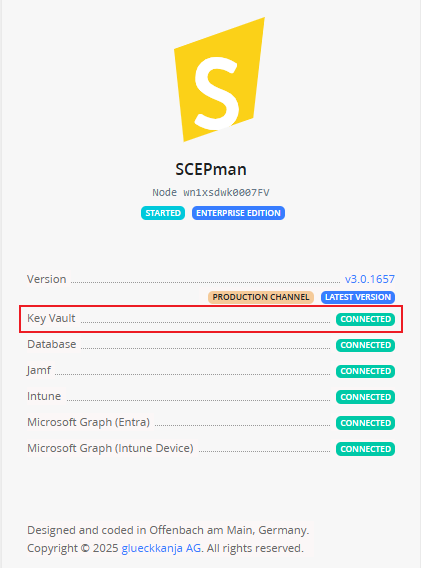
Starten Sie Ihren SCEPman App Service neu, navigieren Sie dann zu Ihrer SCEPman-Startseite und stellen Sie sicher, dass Ihr Key Vault verbunden ist.
{% endstep %}
{% endstepper %}
---
# Agent Instructions
This documentation is published with GitBook. GitBook is the documentation platform designed so that both humans and AI agents can read, navigate, and reason over technical content effectively. Learn more at gitbook.com.
## Querying This Documentation
If you need additional information that is not directly available in this page, you can query the documentation dynamically by asking a question.
Perform an HTTP GET request on the current page URL with the `ask` query parameter, and the optional `goal` query parameter:
```
GET https://docs.scepman.com/de/andere/faqs/key-vault-rbac-migration.md?ask=&goal=
```
`ask` is the immediate question: it should be specific, self-contained, and written in natural language.
`goal` is optional and describes the broader end goal you are ultimately trying to accomplish on behalf of the user. GitBook uses it to tailor the answer towards what is most useful for that goal.
The response will contain a direct answer to the question and relevant excerpts and sources from the documentation.
Use this mechanism when the answer is not explicitly present in the current page, you need clarification or additional context, or you want to retrieve related documentation sections.